
Deportes de Gakuran: baloncesto, fútbol, voleibol, fútbol americano y dodgeball
¿Cómo se juega al baloncesto, al fútbol, al voleibol, al fútbol americano o al dodgeball en Gakuran y dónde se empieza? Esta página cubre las teclas y el flujo de cada deporte, enlaza la cancha o el campo donde ocurre y manda el patinaje a su propio how-to.
Cómo funcionan los deportes de Gakuran
Cada deporte es un modo con sus propias teclas, y cada uno ocurre en un sitio concreto del mapa: baloncesto en la cancha exterior o en el gimnasio, voleibol en la arena junto a la puerta de la escuela y en el gimnasio, fútbol en el campo del estadio. Empezar un deporte significa entrar en esa zona y pulsar la tecla de modo que documenta el editor.
El texto del editor de cada deporte — teclas, medidor de tiro, controles de entrada y de portero — se republica completo abajo, con un párrafo de orientación que enlaza la sección de la ubicación correspondiente. El patinaje no se copia aquí a propósito: tiene su propia página y las skins de tabla son cosméticas.
Volleyball
El voleibol se juega en la arena a la izquierda de la escuela, cerca de la puerta, y el gimnasio guarda el carro de balones. Pulsa V para entrar o salir del modo voleibol; las teclas y reglas del editor están debajo.
La cancha de voleibol del gimnasio
The volleyball arena can be found on the left side of the school near the school gates. The Gym also features a basketball with both the volleyballs and basketballs with carts that allow you to summon a ball.
KEYBINDS:
• V- Enter/Exit Volleyball Mode
• LMB - Spike/Receive
• RMB - Block
• Q - Dive
• F/R - Front/Back Set
• Z/X/C - Power Modes (1/3/5)
• 1/2 - Lower Power/Increase Power
• LMB - Float Serve
• RMB - Jump Serve
• Camera Angle - Ball Direction/Height
Power Meter Settings
Choose the style of the Power Meter that appears beside you whenever your power changes.
Available Power Meters:
- ARC • BALLS • BLADE • CHEVRON
- CLASSIC • DICE • FAN • GAUGE
- HOLO • MANGA • NUMBER • REACH
- RING • SIGNS • STARS • VAULT
Bump:
Serve:
Dive:
Bump:
Block #1:
Block #2:
Forward Set:
Backwards Set:
Topspin Jump Serve:
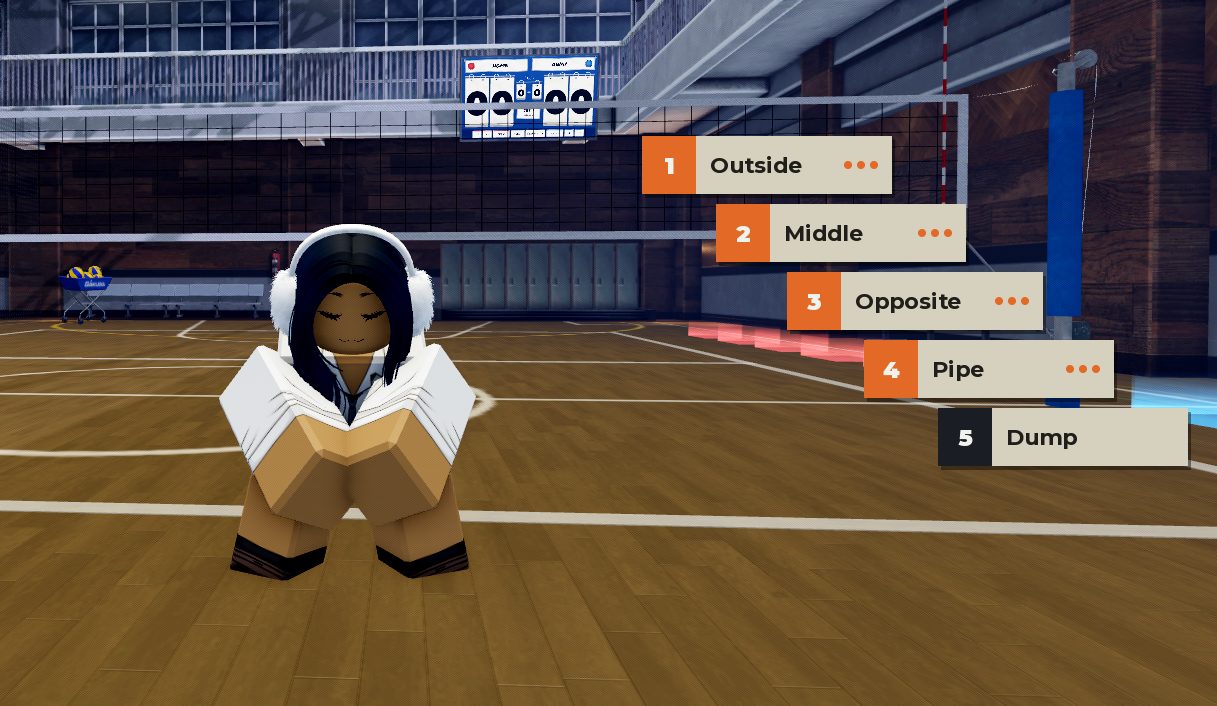
Call Play Menu
When pressing G while in Volleyball Mode, you are able to call out different plays. All 5 Call Out Options:
- Outside
- Middle
- Opposite
- Pipe
- Dump
The first 4 categories each have the following Call Out Options:
- High
- Medium
- Quick
- Minus
Back — Go back to the previous menu.
Multiplayer Gameplay
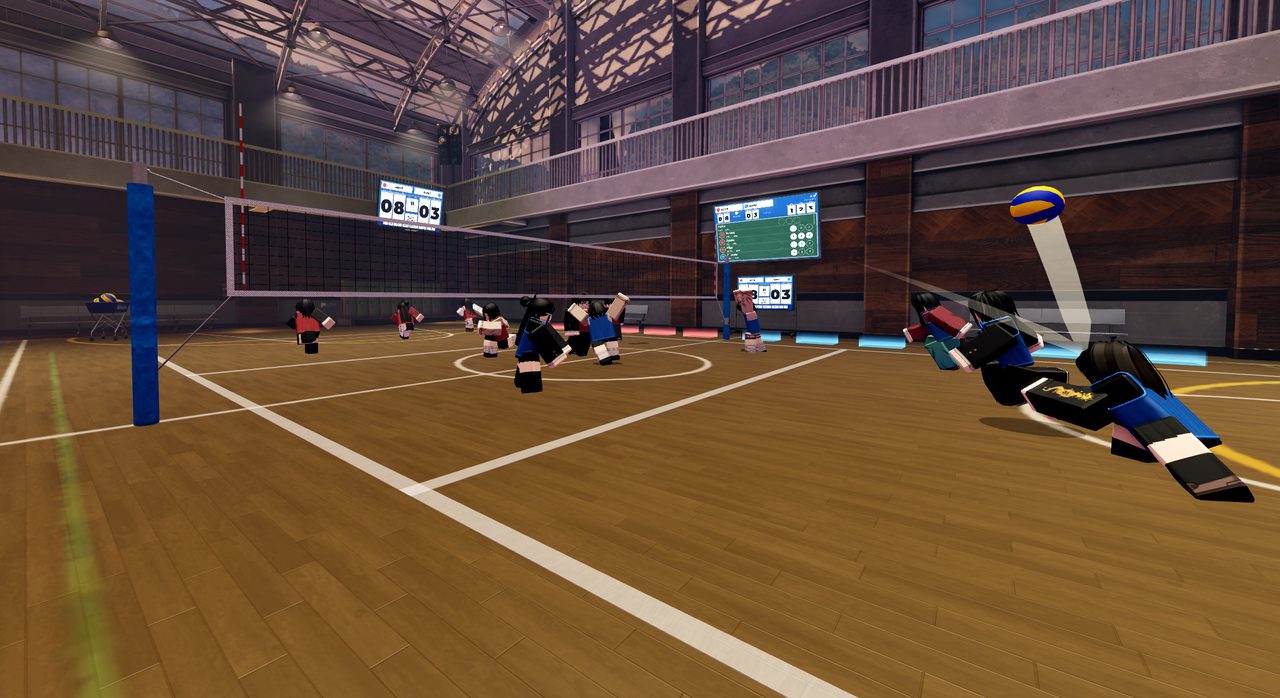
There's a total of 12 red/blue pads 6 per team which players step on to begin a match. You’ll need at least 2 players on each for it to start. The game will end when one team achieves 18 points.
NPC Volleyball Exhibition Events
- NPCs can now participate in Volleyball exhibition events, allowing you to watch NPCs compete in Volleyball matches.
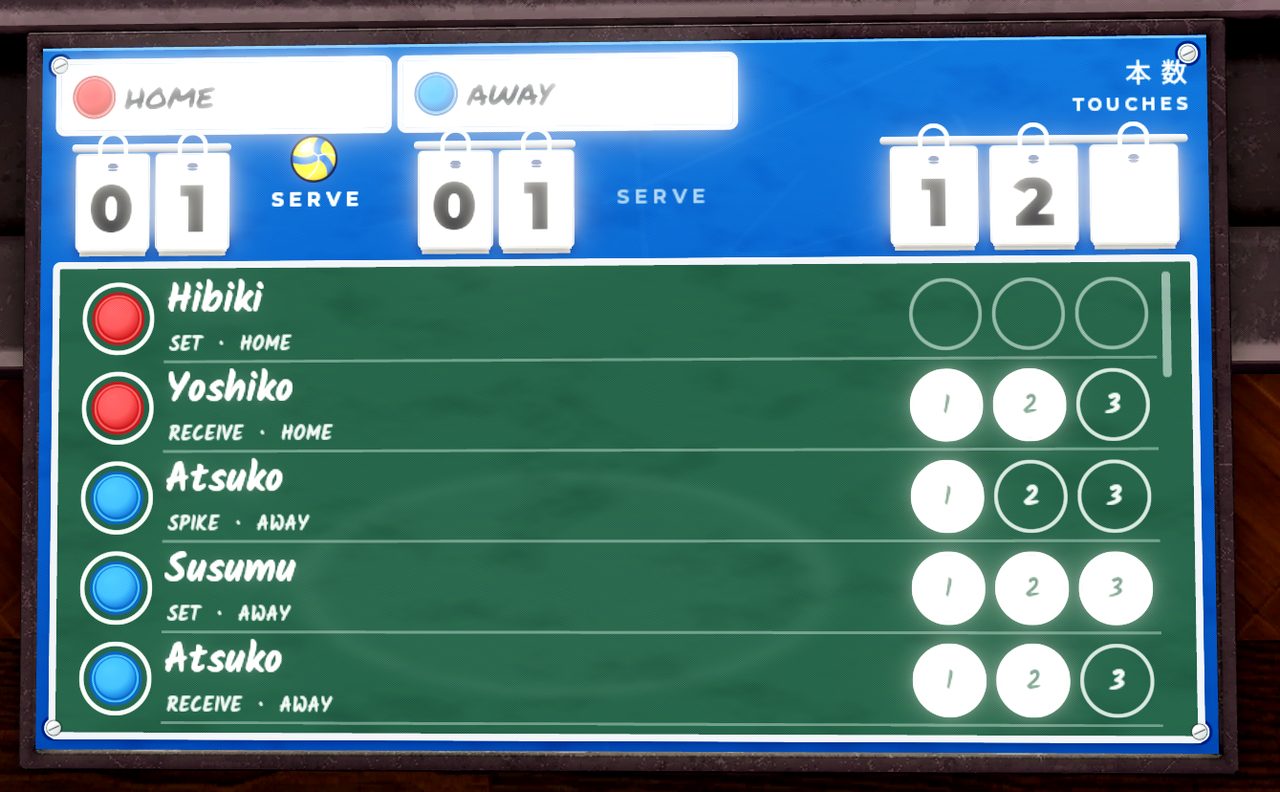
Auto Stat Tracking
- The game now automatically tracks player statistics during Volleyball games.
- Player statistics are automatically recorded and updated throughout the game, allowing you to keep track of each player's performance without having to record the stats manually.
Instant Replays
- Instant Replays automatically replays key moments after a point is scored.
- The replay can be skipped with
SPACE
El texto y las imágenes de abajo vienen de la tarjeta oficial de Trello; el párrafo de orientación es el resumen de este sitio.
Soccer
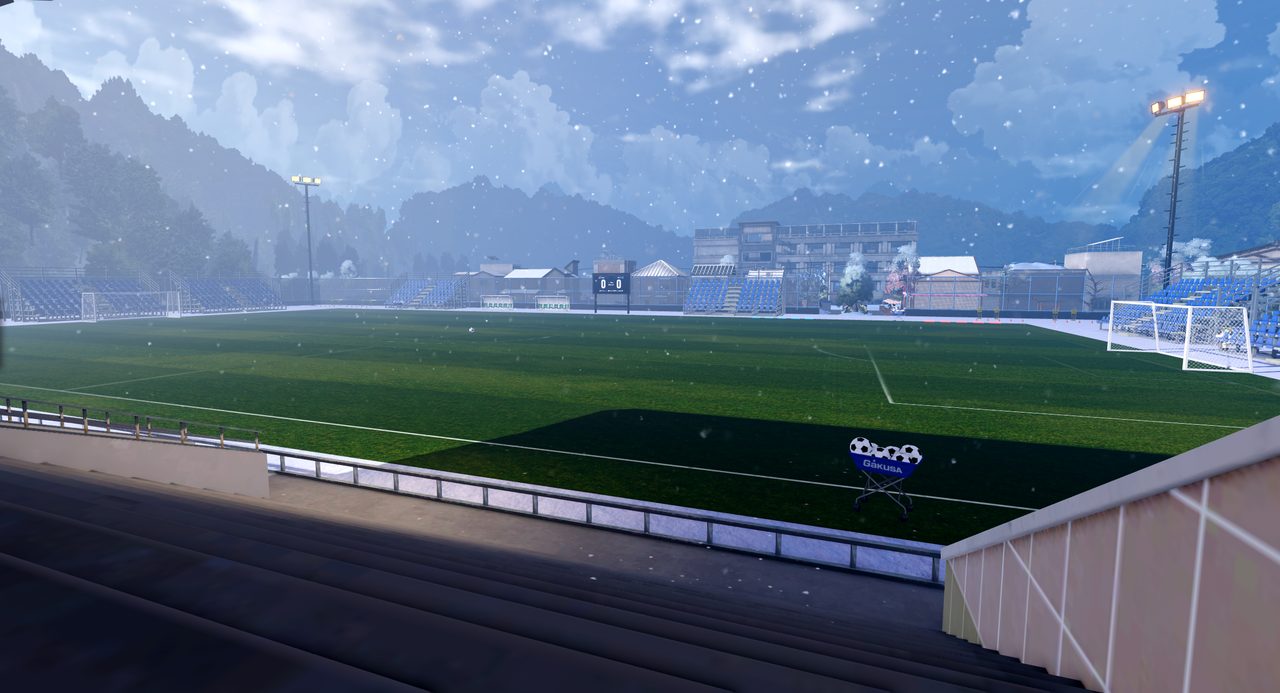
El fútbol se juega en el campo del estadio, con teclas de disparo, entrada deslizante, pase, efecto, sprint, flow y modo portero. La lista de teclas y las notas de control del balón están debajo.
KEYBINDS:
Click- Kick / TackleF- Slide TackleT- Call for PassR- Curve Off / Left / RightShift- SprintH- Flow (full meter)G- Goalkeeper ModeV- Exit Mode
While with ball keybinds:
Click- Kick (Hold for Power)Q- Lift (Charging Feint)R- Curve Off/Left/RightShift- SprintH- Flow (full meter)G- Goalkeeper ModeV- Exit Mode
Goalkeeper extra keybinds:
Q- Dive (steer to aim)Space- Jump CatchG- Exit Goalkeeper
Power Meter Settings
Choose the style of the Power Meter that appears beside you whenever your power changes. Available Power Meters:
- ARC • BLADE • BROADCAST
- DIAL • HOLO • MINI
- PIXEL • RETICLE • WATCH
Power Scale
Slide Tackle
Call to Pass
Stamina drain (drains when running or by feint)
Flow
Dive (front)
Dive (left/right)
Jump Catch
Curve
El texto y las imágenes de abajo vienen de la tarjeta oficial de Trello; el párrafo de orientación es el resumen de este sitio.
Basketball
El baloncesto es una actividad de habilidad basada en timing, control del balón y presión defensiva. El tiro empieza manteniendo E con un medidor; los balones están en los carros junto al aro. Puedes jugar en la cancha exterior o en la 5v5 del gimnasio.
Cancha exterior de baloncesto · Cancha 5v5 del gimnasio
Basketball:
is a skill-based activity focused on timing, ball control, positioning, and defensive pressure. Basketballs can be found on the racks near the hoop.
Shooting:
- Hold
Eto begin your shooting motion - a shot meter starts filling - Release
Eto shoot - The timing of your release determines the quality of the shot.
- Press Shift + Spacebar to perform a Dunk near the rim
- Shift + Tapping
Eto perform a Euro Step Dunk - Press
Gto post up,G+Eallows you to do a Post Fadeaway
Power Meter Settings
Choose the style of the Power Meter that appears beside you whenever your basketball power changes. Available Power Meters:
- BALL • BATTERY • BLADE • CLASSIC
- DIAL • ENSO • GAUGE • HANABI
- HOLO • HOOP • KI • LAMPS
- MILK • MINI • RETICLE • RHYTHM
- OFF
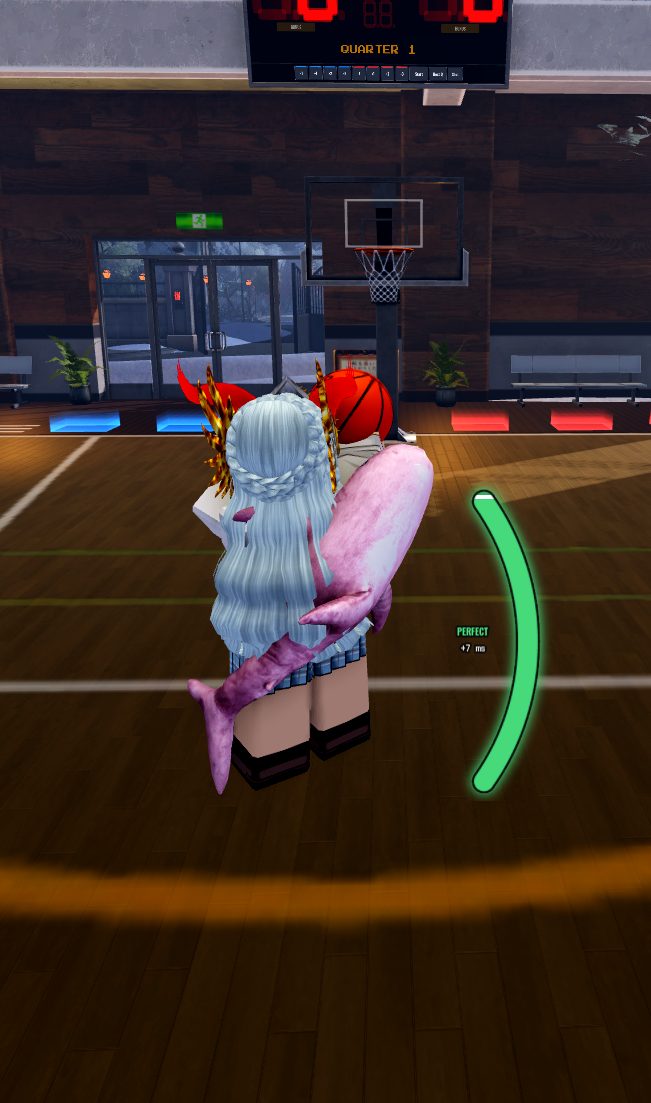
Shot Meter Zones
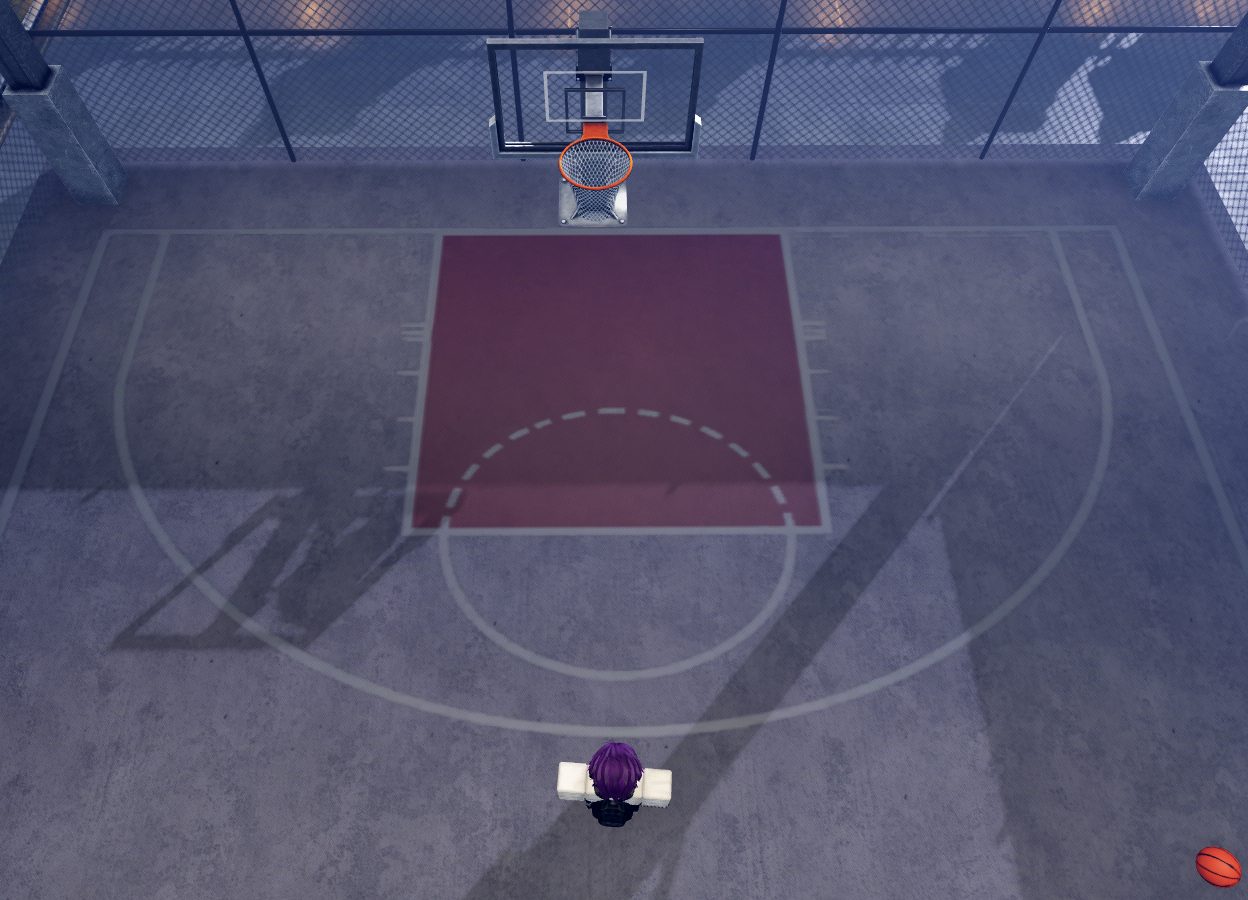
Three-Point Scoring
On both the Courtyard and Indoor Basketball courts, there are large semi-circles(the yellow line indoors and one of the white lines in the courtyard) that form a perimeter around the hoops on each side of the court.
These semi-circles are your Three-Point Lines.
They represent the perimeter by which any shot made past them(closer to the half-court line) will count for 3 points, however any shots made closer to the goal will instead only court for 2 points.
Defensive Pressure:
Shot timing isn't the only factor. An active defender's positioning and pressure can reduce the shooter's chance of making the basket.
- Open shots are easier to make.
- Lightly contested shots are more difficult.
- Heavily contested shots are significantly harder to score.
- Strong pressure can lower shooting effectiveness even on otherwise decent releases.
Creating space before shooting is often just as important as timing the shot itself.
Ball Handling:
Several dribble moves let you create separation and outmaneuver defenders.
X— Bounce-Back DribbleZ + X— Behind-the-Back DribbleC + X— Alternate Behind-the-Back DribbleBackspace— Drop the Ball- Ball in right hand,
C+C— Right Spin Move - Ball in left hand,
Z+Z— Left Spin Move Z or X— Swap ball to other hand.- Client Sided Numbers are assigned to teammates, pressing a corresponding number allows you to pass to the teammate
Combining dribble moves helps break through defenses and create open shooting opportunities.
Defense:
Defense plays a major role in stopping opponents from scoring.
RMB(Right Mouse Button) — Defensive StanceF— Screen (Off-Ball)R— Steal (Off-Ball)Space— Block (Off-Ball)
Holding RMB puts your character in a defensive stance, letting you guard the ball handler, contest shots, cut off driving lanes, and apply pressure. The closer and more effectively you defend, the harder their shot becomes.
Basketball
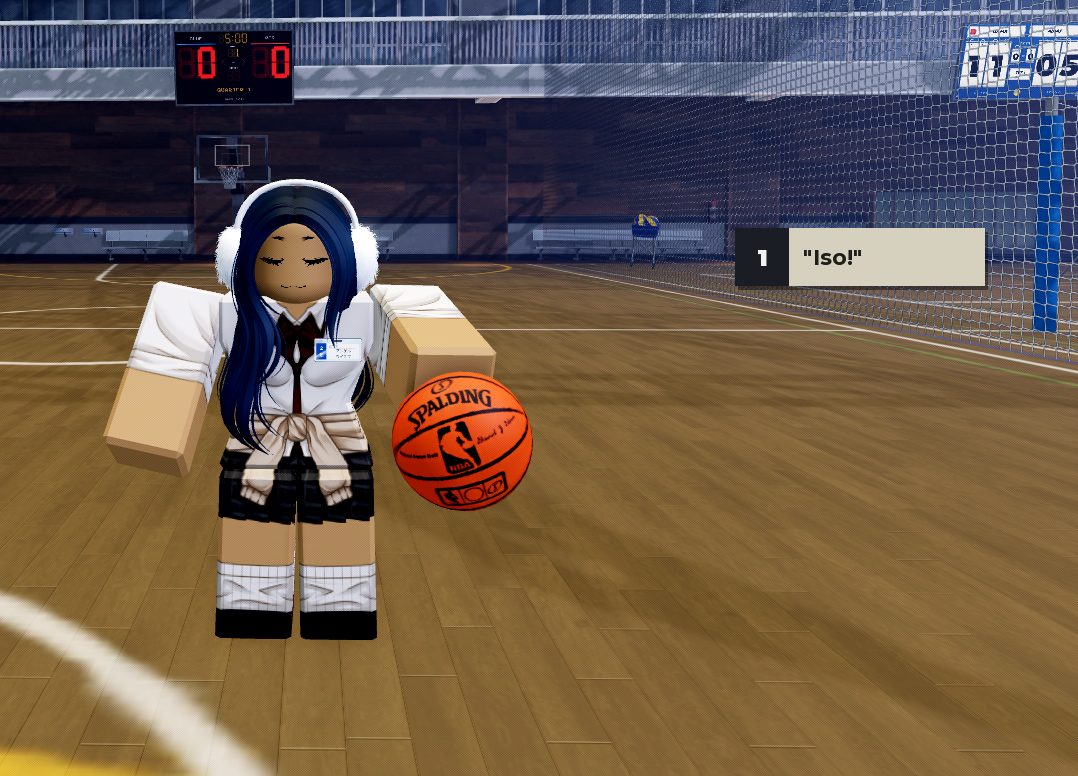
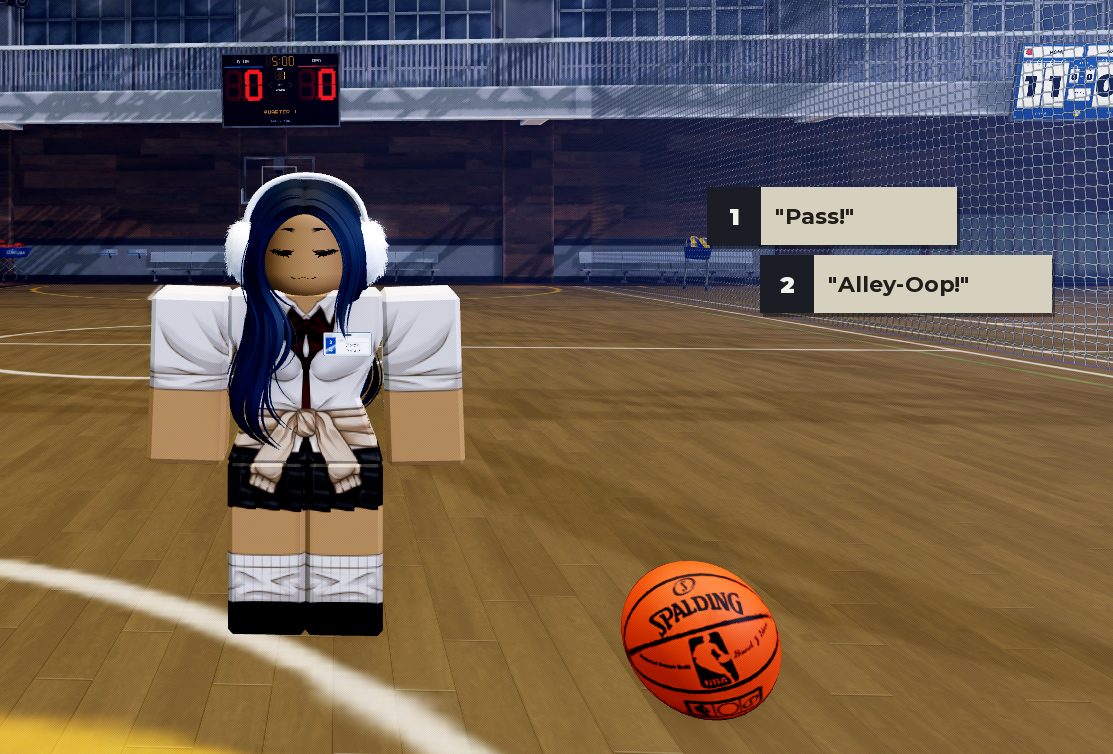
Call Play Menu
When pressing G while in Basketball Mode, you are able to call out different plays. Call Outs When Holding the Basketball:
- Iso!
Call Outs When Not Holding the Basketball:
- Pass!
- Alley-Oop!
Multiplayer Gameplay:
There are two basketball courts: the indoor Gymnasium Court and the Outside Basketball Court. The Outside Basketball Court supprts a maximum of 6 players (3vs3). The inside Gymnasium Court supports either 6 or 10 players (3v3 or 5v5).
For 3v3, the players must stand on the 3 spots closest to the hoop on their side. For 5v5, the players can stand on any of the available spots.
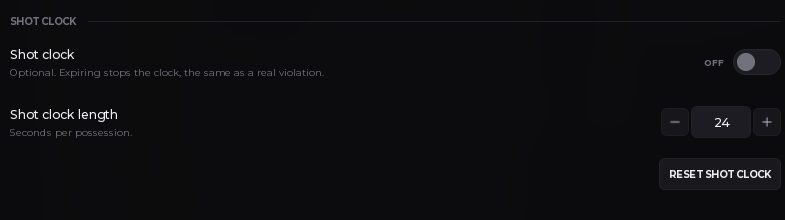
The shot clock lasts 24 seconds per possession. After a rebound or if the ball goes out the bounds, the shot clock pauses. Each quarter lasts 5 minutes for a total game time of 20 minutes (4x5).
PS+ Settings:
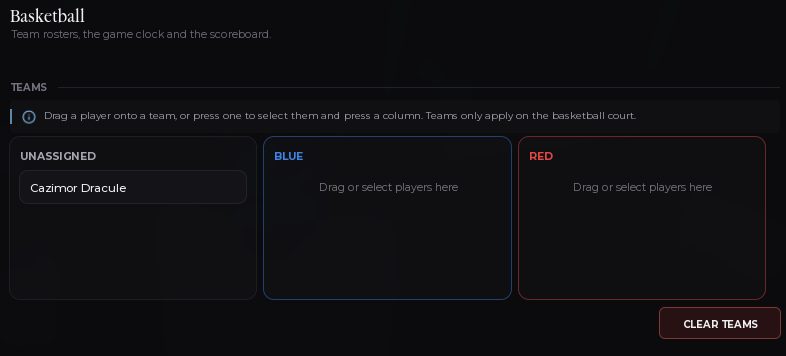
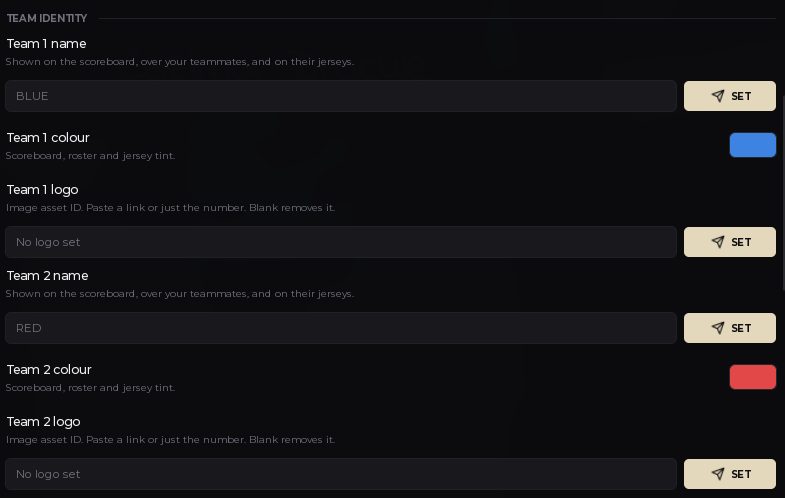
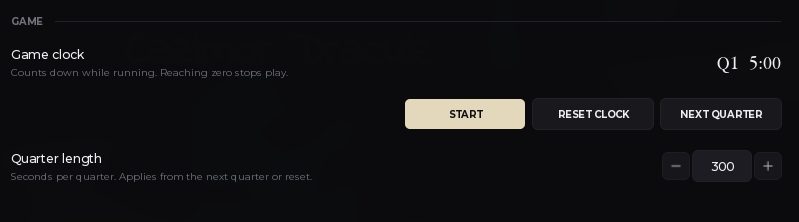
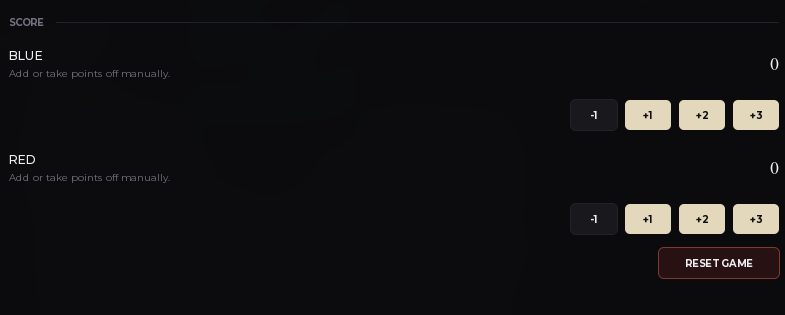
Within the PS+ command panel there is a section for basketball featuring many customization options such as:
Team
Team Customization
Game timing
Score
And shot clock
El texto y las imágenes de abajo vienen de la tarjeta oficial de Trello; el párrafo de orientación es el resumen de este sitio.
Football
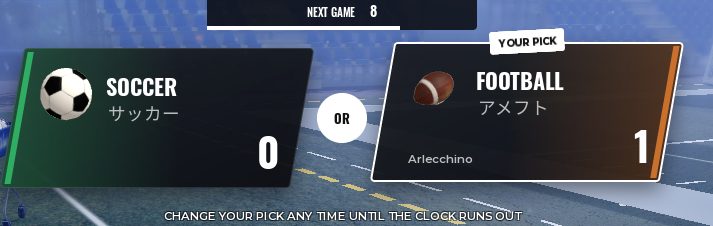
El fútbol americano comparte el campo de fútbol: pisar las plataformas con al menos dos jugadores abre una votación entre Soccer y Football, y el modo ganador empieza al terminar el contador. Sin balón el editor lista placaje, bloqueo, sprint, cantar jugada y salir del modo; con balón, lanzar y ajustar la potencia.
FOOTBALL
American Football is played on the soccer field. Entering the pads with at least two players will automatically trigger a vote between Soccer and Football. After the voting timer runs out, the mode with the most votes begins.
FOOTBALL KEYBINDS
Without the Ball:
E- DiveX- BlockShift- SprintG- Call playB- Exit Mode
With the Ball:
Click- Throw (Aims directly at your cursor)R/F- Adjust power (+ / -)X- Hand OffE- DiveShift- SprintG- Call PlayB- Exit Mode
El texto y las imágenes de abajo vienen de la tarjeta oficial de Trello; el párrafo de orientación es el resumen de este sitio.
Dodgeball
El dodgeball se juega en cualquier cancha de baloncesto con al menos un jugador por lado, y una cancha con más de dos jugadores vota entre Basketball y Dodgeball. Los lanzamientos apuntan al cursor, F es una parada con timing ajustado, y dash y sprint cubren el resto.
El texto y las imágenes de abajo vienen de la tarjeta oficial de Trello; el párrafo de orientación es el resumen de este sitio.
El patinaje tiene su propia página
Los monopatines salen del gamepass de 800 Robux y el tablero documenta esa ruta en el how-to del monopatín; las skins de tabla son cosméticas.
Cómo conseguir un monopatín · Skate decks en el hub de cosméticos
De dónde salen estas descripciones
Cada sección se republica desde las tarjetas abiertas de la lista Sports del tablero oficial de Gakuran en Trello ↗. El tablero manda: cuando cambian las teclas o las reglas de un deporte, esta página se regenera en la siguiente sincronización y una tarjeta Sports nueva hace fallar la build hasta que se documente aquí.
Las Guide Pages por tarjeta siguen online, pero duplican estas secciones, así que quedan fuera de los resultados de búsqueda y canonizan a .
Related Guide Pages
Frequently Asked Questions
- ¿Qué deportes se pueden jugar en Gakuran?
- Baloncesto, fútbol, voleibol, fútbol americano y dodgeball están documentados en la lista Sports del tablero oficial. El fútbol americano y el dodgeball empiezan con una votación en el campo y en las canchas respectivamente. El patinaje es una actividad de gamepass con su propio how-to.
- ¿Cómo se juega al baloncesto en Gakuran?
- Mantén E para iniciar el movimiento de tiro y acompasa el medidor, coge balones de los carros junto al aro y juega en la cancha exterior o en la 5v5 del gimnasio. El editor lo describe como una actividad de habilidad basada en timing, control del balón y presión defensiva.
- ¿Cómo se juega al fútbol en Gakuran?
- El fútbol se juega en el campo del estadio con clic para disparar o entrar, F para entrada deslizante, T para pedir pase, R para efecto, Shift para sprint, H para flow y G para modo portero. V sale del modo; la lista completa de teclas está en la sección de fútbol.
- ¿Cómo se juega al voleibol en Gakuran?
- Pulsa V para entrar o salir del modo voleibol. La arena está a la izquierda de la escuela, cerca de la puerta, y el gimnasio guarda un carro con los balones de voleibol y de baloncesto.
- ¿Dónde está el patinaje en Gakuran?
- El patinaje no está en el hub de deportes: los monopatines salen del gamepass de 800 Robux y la ruta de compra, las teclas de movimiento y los consejos están en la página de cómo conseguir un monopatín. La tarjeta Skating del tablero es la fuente de ambas.