
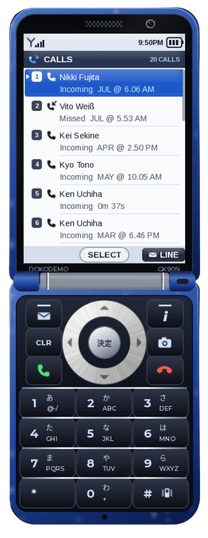
Calls
Calls App
The calls app will open up to a screen of a list of the recent calls you've had. They will have the other persons name, the time and date when the call was placed, and whether or not it was you or the other person who made the call.
Incoming - Other person made call.
Outgoing - You made the call.
You will also have the option to click one of the calls, with three options.
Call Back - Call the other person.
Message - Send a message to that person.
Save Contact - Allows you to save and name that person in your contacts list.