
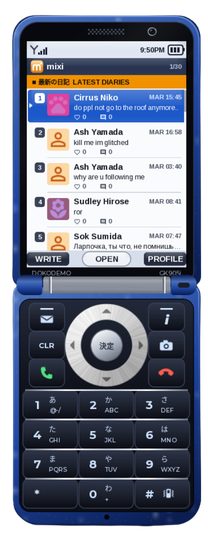
Mixi
Mixi App
Opening the Mixi App will lead to a screen where you choose your profile picture, having a symbol option and 2 color options. There are 21 symbols to choose, and you are able to change the color of the symbol and the color of the background. Dark and light orange are the default colors.
After changing your profile picture, you have the option to post on the Mixi app about anything. It is a social media app, and it is global across servers. You have the option to make a new post, or open up an existing post. You can like the post and/or comment on the post.